Description
ABB CP635 1SAP535100R0001
I. Product Overview
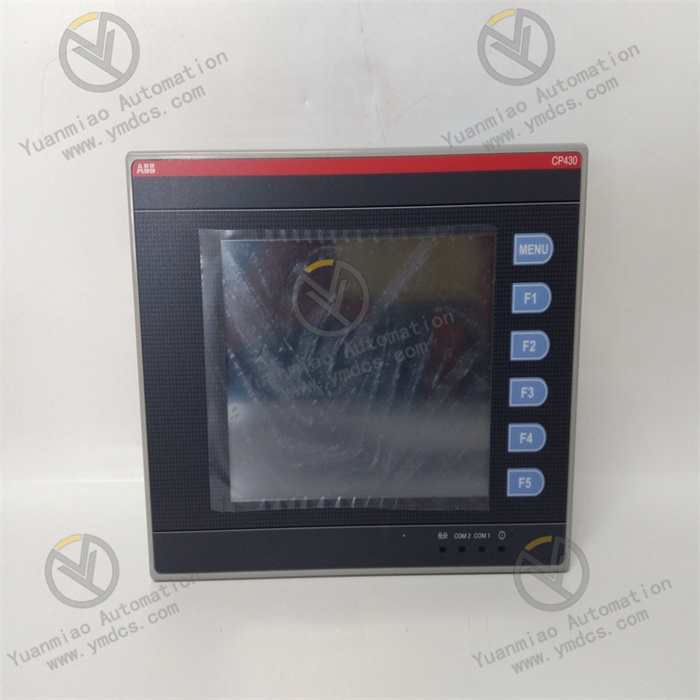
ABB CP635 (1SAP535100R0001) is a color touch screen control panel, whose core positioning is to provide an efficient and stable visual human-machine interaction (HMI) solution for medium and large-sized industrial automation systems. It can realize core functions such as real-time monitoring of equipment operation status, precise setting of process parameters, fast input of operation instructions, intuitive display of fault information, and alarm linkage control.
As a key interactive hub between operators and the control system, this panel is equipped with the PB 610 runtime license and requires configuration with the dedicated Panel Builder 600 programming software. It can seamlessly interface with ABB AC 500 series PLCs and is compatible with other third-party control devices that support standard industrial communication protocols.
II. Functional Features
1. High-Definition Touch Interaction for Precise and Efficient Operation
2. Versatile Communication Interfaces for Extensive System Integration
3. High Protection Rating for Harsh Industrial Environments
4. Hierarchical Permission Control for Data and Operation Safety
5. Flexible Configuration and Debugging to Reduce Project Implementation Costs
III. Technical Parameters
| Category | Specific Parameters |
|---|---|
| Model/Part Number | Model: CP635; Part Number: 1SAP535100R0001; EAN Code: 4013614493010 |
| Manufacturer | ABB (Country of Origin: Germany) |
| Product Type | Industrial-grade Color Touch Screen Control Panel (CP600 Series) |
| Core Functions | High-definition visual monitoring, touch operation, parameter setting, fault alarm, 8-level permission management, remote data interaction, offline/online simulation, script editing |
| Display Parameters | Display Type: 10.4-inch TFT Color Touch Screen; Aspect Ratio: 4:3; Resolution: 800×600 Pixels; Color: 64K True Color; Touch Type: Resistive Touch |
| Storage Parameters | User Program Memory: 256MB; User Data Memory: 256MB; Storage Type: Flash Disk (Non-volatile) |
| Communication Parameters | Communication Interfaces: 2×10/100Mbit Ethernet, 1×RS-232/RS-422/RS-485 (switchable), 2×USB 2.0 Host, 1×SD Card Slot, 2×Expansion Slots; Communication Capabilities: Multi-driver Communication, Client-Server Function; Programming Software: Panel Builder 600; Runtime License: PB 610 |
| Power Supply Parameters | Supply Voltage: 24VDC (Typical Value, Adaptation Range: 18~32VDC); Power Consumption: ≤8VA (Under Rated Load) |
| Environmental Adaptability | Operating Temperature: 0~+50℃; Storage Temperature: -20~+70℃; Relative Humidity: 5%-95% (Non-condensing); Protection Rating: Front Panel IP66 (Compliant with IEC 60529 Standard), Housing IP20; Electromagnetic Interference Resistance: Compliant with Industrial EMC Standards such as EN 55011, EN 55022, EN 61000; Mean Time Between Failures (MTBF): 40,000 Hours |
| Physical Parameters | Net Dimension (W×H×D): 271mm×212mm×64mm; Net Weight: 2.2kg; Gross Weight: 3.5kg; Installation Method: Front-Panel Embedded Installation |
| Compatible Systems | ABB AC 500 Series PLCs, Third-Party Industrial Control Devices Supporting Standard Industrial Communication Protocols |
| Application Scenarios | Industrial Automation HMI Scenarios such as Machinery Manufacturing, Petrochemical Industry, Water Treatment, Energy and Power, Food and Beverage, Automated Production Lines, HVAC, Marine Equipment, etc. |
IV. Working Principle
The core working logic of ABB CP635 (1SAP535100R0001) is "Configuration Program Driven → Communication Link Establishment → Data Interaction and Transmission → Touch Command Parsing → Information Display and Action Linkage". It needs to cooperate with the upper control system to complete the full-process human-machine interaction function, with the specific working process as follows:
Configuration Initialization: Complete user program configuration through the dedicated Panel Builder 600 programming software, including touch interface layout design, process parameter and system variable association, communication parameter configuration (protocol type, IP address, baud rate, etc.), 8-level permission division, alarm logic and linkage action setting, script program writing, etc. The generated configuration program is downloaded to the panel's built-in Flash Disk memory via USB interface, SD card, or Ethernet link. The panel automatically loads the configuration program after startup, completes system initialization, and enters the preset initial interactive interface.
Communication Link Establishment: Based on the communication parameters preset in the configuration program, the panel establishes a stable two-way communication link with the upper control system (e.g., ABB AC 500 series PLCs) via Ethernet or serial communication interface. Relying on multi-driver communication capability, it can simultaneously establish data interaction channels with multiple control nodes. It also supports client-server mode, which can not only receive control instructions from remote monitoring terminals but also upload local equipment operation data to upper systems or remote terminals.
Data Interaction and Transmission: Through the established communication link, the panel receives real-time data such as equipment operation status, process parameter values, and fault codes uploaded by the upper control system. At the same time, it transmits operation instructions input by operators through the touch screen (such as parameter modification, equipment start-stop, fault reset, etc.) to the upper control system in real time. It supports offline data storage function, which can automatically back up key operation data through SD cards to provide data support for subsequent operation and maintenance analysis.
Touch Command Parsing: When the operator performs an operation through the touch screen, the panel's built-in industrial-grade processing unit quickly parses the configuration function corresponding to the touch signal, generates standardized control instructions, and sends them to the upper control system via the communication link to trigger corresponding control actions. For permission-sensitive operations such as critical process parameter modification and program tampering, the system automatically triggers the permission verification process. Only authorized users who enter the correct level password can complete the operation, and unauthorized operations will be rejected with a prompt "Insufficient Permissions" displayed on the screen.
- Information Display and Action Linkage: After parsing and processing the data received from the control system, the panel clearly displays it in visual forms such as process flow diagrams, digital dashboards, real-time parameter curves, and status indicator lights on the 10.4-inch touch screen. When fault information is detected, it immediately triggers the alarm linkage mechanism, highlighting and flashing the fault code, fault description, and handling suggestions on the screen, and can also link to control on-site audible and visual alarms to promptly remind operators to handle the fault.
V. Operation Guide
1. Installation Steps
Installation Environment
Mechanical Installation
Wiring Operation
2. System Configuration and Debugging
Configuration Programming
Debugging and Verification
3. Operation and Maintenance
Daily Operation
Regular Maintenance
Weekly Maintenance: Wipe the touch screen surface and panel housing with a dry and soft cloth to remove dust and stains; check whether the panel is installed firmly and whether the sealing gasket is intact without damage; observe the display effect of the touch screen to ensure no abnormal phenomena such as screen blooming or touch delay; check whether each interface connection is firm without loosening, oxidation and other problems.
Monthly Maintenance: Connect to the panel through the Panel Builder 600 software to back up the current configuration program and user operation data; check the stability of the power supply voltage to ensure the supply voltage is within the 18~32VDC adaptation range; test the connection stability of each communication interface and verify that there are no abnormalities in the communication parameters; verify the effectiveness of the permission management function and alarm linkage function; check the plug-in flexibility of the SD card slot and USB interface and clean the dust inside the interfaces.
- Annual Maintenance: Conduct a comprehensive inspection of the panel by professional operation and maintenance personnel to check for aging, oxidation, loosening and other phenomena of internal wiring; verify the touch sensitivity of the touch screen, and perform touch calibration or contact after-sales service for handling in a timely manner if there are problems such as inaccurate touch or response delay; check the protective sealing performance to ensure that the front-panel IP66 protection rating is not affected; verify the product certification status, and contact ABB after-sales service for repair or replacement in a timely manner if the panel has potential fault risks (such as frequent crashes, communication interruption).
4. Common Fault Troubleshooting
| Fault Phenomenon | Possible Causes | Troubleshooting Methods |
|---|---|---|
| Panel fails to start with no display | Power supply failure, incorrect power wiring, loose terminals, damaged internal power module | Check whether the supply voltage is within the 18~32VDC adaptation range; verify the correctness of the positive and negative pole wiring of the power supply; retighten the power terminal screws; use a multimeter to test the output voltage of the power module; test with a backup power supply; if there is still no response, contact ABB after-sales service to repair the internal power module |
| Abnormal touch screen display (blooming, black screen, color distortion) | Incorrect configuration program, screen surface contamination, damaged backlight module, abnormal ambient light, faulty display drive circuit | Re-download the configuration program and test; clean the touch screen surface with a clean soft cloth; adjust the installation position to avoid direct sunlight; if the display is still abnormal, contact ABB after-sales service to test the backlight module and display drive circuit |
| Communication failure, unable to interact with the control system | Incorrect communication parameter configuration, damaged communication cable, loose interface, protocol mismatch, IP address conflict | Recheck the communication protocol, IP address, subnet mask, baud rate and other parameters; check the integrity of the communication cable connection and test with a backup communication cable; retighten the communication interface terminals; troubleshoot network IP address conflicts; confirm that the communication protocol of the panel is consistent with that of the control system |
| Touch screen is unresponsive or imprecise in response | Stains on the screen surface, abnormal touch calibration, incorrect configuration program, damaged touch components | Clean the touch screen surface with a dry soft cloth; re-calibrate the touch via the Panel Builder 600 software; verify the correctness of the touch area definition in the configuration program and test by re-downloading the program; if the problem persists, contact ABB after-sales service to repair the touch components |
| Unable to save parameters/data loss | Non-volatile memory failure, incorrect configuration program, sudden power failure, damaged SD card | Check the stability of the power supply to avoid sudden power failure; re-download the configuration program and back it up; replace the SD card to test the data storage function; if the problem persists, contact ABB after-sales service to repair the memory module |
| Abnormal alarm function (no alarm/false alarm) | Incorrect alarm logic configuration, abnormal sensor signal, communication data transmission error, improper permission settings | Verify the alarm logic and parameter threshold settings in the configuration program; check whether the on-site sensor signal is normal and troubleshoot sensor faults; enhance communication anti-interference measures and test data transmission stability; verify the alarm permission settings to ensure that operators have the corresponding viewing permissions |
| Panel frequently crashes or restarts | Unstable power supply voltage, incorrect configuration program, internal circuit fault, excessively high ambient temperature | Check the stability of the power supply voltage and install a voltage stabilizer if necessary; re-download the configuration program and test; check whether the installation ambient temperature exceeds the specified range and improve heat dissipation conditions in a timely manner; if the problem persists, contact ABB after-sales service to repair the internal circuit |