Description
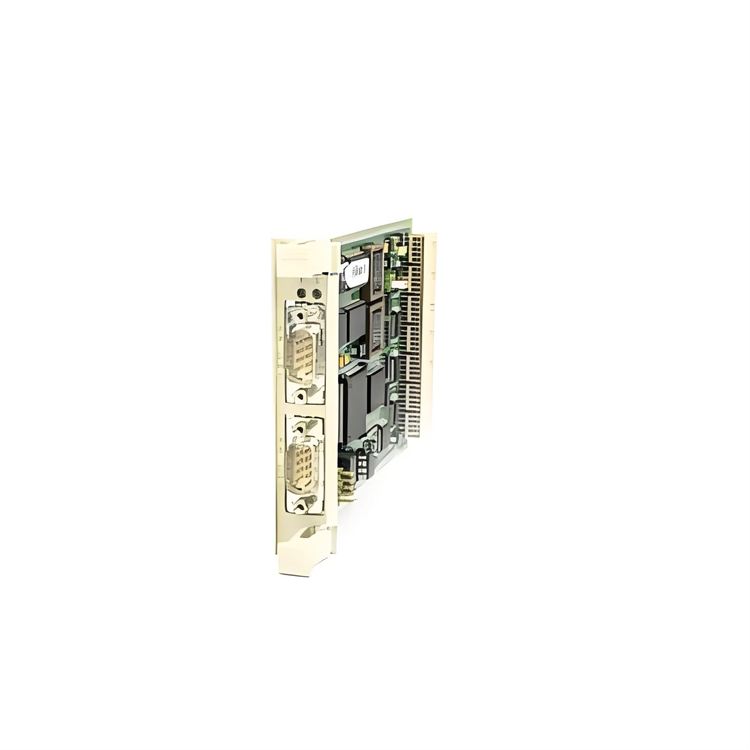
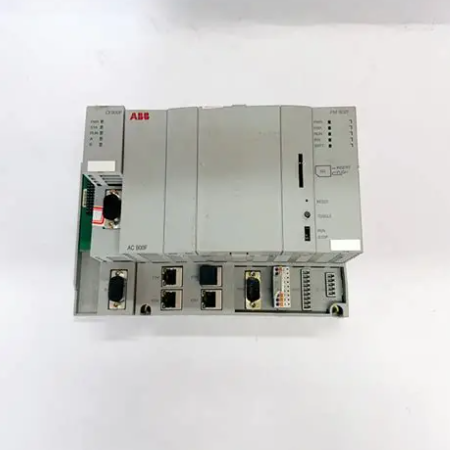
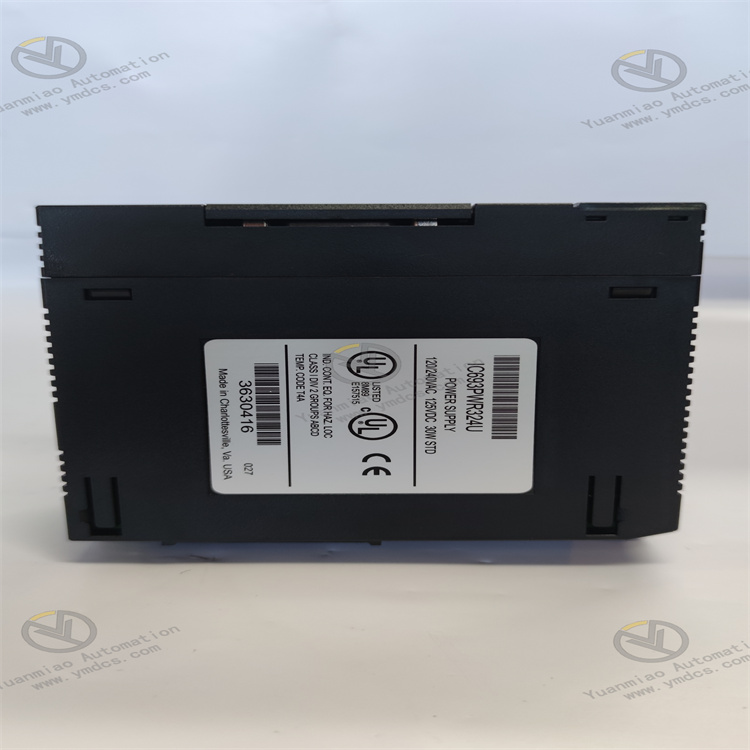
GE IC693PWR324
I. Overview
GE IC693PWR324 is a power supply module belonging to the Series 90-30 product line. Its core function is to provide stable and multi-specification DC power supply for Series 90-30 programmable logic controllers (PLCs), as well as their supporting I/O modules and relay modules. This module supports a wide range of AC/DC input voltages and features three independent output channels (+5VDC, dual +24VDC). It integrates overcurrent protection, intelligent diagnosis, and other functions, adopting an industrial-grade stable design that ensures seamless compatibility with all CPU models of the Series 90-30 series. Widely used in small and medium-sized industrial automation production lines, machine tool control, process monitoring, and other scenarios, it serves as a core power supply component guaranteeing the stable operation of PLC systems.
II. Key Features
Wide Input Voltage Range and Multi-Specification Outputs
- The input voltage is compatible with 85-264VAC (50/60Hz) or 100-300VDC, adapting to power grid standards in different regions worldwide without the need for additional transformers, offering high installation flexibility.
- Provides three independent output channels: +5VDC (power supply for PLC core circuits), +24VDC "Relay Power" (specifically for Series 90-30 output relay modules), and isolated +24VDC (power supply for 24VDC input modules or external sensors), meeting the power supply needs of different system components.
High Stability and Protection Functions
- Rated output power of 30W, equipped with automatic voltage regulation function, ensuring high output voltage accuracy and effectively suppressing the impact of power grid fluctuations on the PLC system. Built-in current limiting function automatically shuts down the output in case of overload or short circuit to avoid hardware damage.
- Peak inrush current reaches 4A (maximum 250ms), capable of withstanding current surges during startup and adapting to complex power supply environments in industrial sites.
Strong Compatibility and Easy Installation
- Fully compatible with all CPU models and I/O modules of the Series 90-30 series, supporting installation in small and medium-sized racks (3-slot/5-slot/7-slot), and serving as the standard supporting power supply for this series of PLCs.
- Adopts a left-side substrate mounting design (must be installed in the leftmost slot of all substrates) and is equipped with a detachable terminal block. On-site wiring and replacement do not require modifying the original wiring, ensuring high maintenance efficiency.
Intelligent Diagnosis and Status Indication
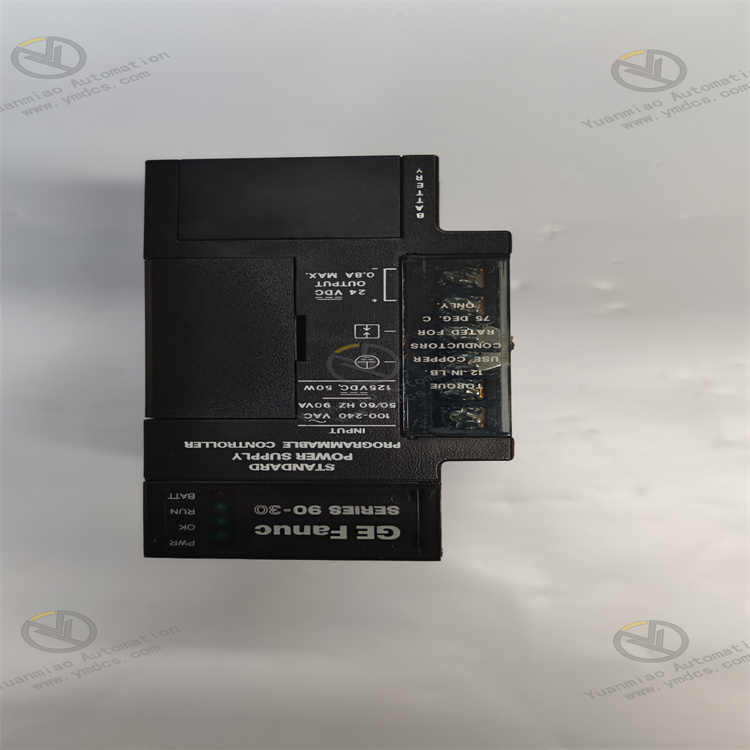
- Equipped with 4 LED status indicators on the top (PWR power light, OK normal light, RUN operation light, BATT battery light), which real-time feedback power supply connection, working status, system operation, and backup battery status. Fault visualization facilitates quick troubleshooting.
- Integrates power supply abnormality diagnosis function. When input voltage is abnormal or output is overloaded, an alarm is triggered via the indicator lights to promptly remind maintenance personnel for handling.
Industrial-Grade Reliable Design
- Adopts industrial-grade components and an enhanced heat dissipation structure, with an operating temperature range suitable for conventional industrial site environments and humidity resistance of 5%-95% (non-condensing), ensuring long-term stable operation.
- Isolated +24VDC output design reduces electromagnetic interference between different modules, improving the overall anti-interference capability and operational reliability of the system.
III. Technical Specifications
| Category | Detailed Specifications |
|---|---|
| Product Type | Standard power supply module of Series 90-30 series |
| Core Function | Provide stable DC power supply for PLC and supporting modules |
| Input Parameters | Voltage range: 85-264VAC or 100-300VDC; Input power: 90VA (AC input), 50W (DC input) |
| Output Parameters | Output power: 30W (rated); Output types: +5VDC, +24VDC (Relay Power), isolated +24VDC; Maximum output current of +24VDC: 0.8A |
| Electrical Characteristics | Inrush current: 4A peak (≤250ms); Protection functions: Overcurrent protection, short circuit protection, current limiting |
| Compatibility | Compatible with all CPU models, I/O modules, and output relay modules of GE Series 90-30 series |
| Communication Interface | RS485 serial port (for connecting to a computer for parameter configuration or status monitoring) |
| Environmental Adaptability | Operating temperature: 0℃~+60℃; Storage temperature: -40℃~+85℃; Humidity: 5%-95% (non-condensing) |
| Installation Method | Substrate mounting (must be installed in the leftmost slot of the substrate) |
| Physical Dimensions | Width: 14cm; Height: 13cm; Depth: 7cm (excluding terminal block) |
| Weight | Approximately 0.48kg |
| Status Indication | 4 LED lights: PWR (Power), OK (Normal), RUN (Operation), BATT (Battery) |
IV. Working Principle
The core working logic of IC693PWR324 is "Wide-range Input → Rectification and Filtering → Voltage Regulation and Conversion → Multi-channel Output + Protection and Diagnosis", with the specific process as follows:
- Input and Rectification: After the external 85-264VAC or 100-300VDC power supply is connected to the module, it is converted to DC voltage through the rectifier circuit, and then the ripple interference in the power grid is eliminated through the filter circuit.
Voltage Regulation and Conversion: Through the built-in voltage regulator chip and automatic adjustment circuit, the rectified DC voltage is converted into three stable outputs: +5VDC supplies power to the PLC core processor and memory, +24VDC "Relay Power" supplies power to the coils of the output relay module, and isolated +24VDC supplies power to external sensors or input modules.
- Protection and Monitoring: Real-time monitors output current and voltage. If overload or short circuit (current exceeding the threshold) is detected, the current limiting function is triggered immediately and the output is cut off. At the same time, the working status is fed back through the LED indicator lights, and the corresponding indicator light status changes when abnormal (e.g., OK light goes out).
- Communication Feedback: Transmits power supply status data (input voltage, output current, fault information) to the computer through the RS485 serial port, facilitating remote monitoring of the power supply operation.
V. Operation Guide
1. Installation Steps
Installation Environment
- Install in a dry and well-ventilated PLC control cabinet, away from high-temperature heat sources (such as frequency converters and power modules) and strong electromagnetic interference sources. Reserve a heat dissipation gap of ≥10mm to avoid high-temperature accumulation affecting stability.
Mechanical Installation
- Confirm that there is no foreign matter in the substrate power supply slot (leftmost slot). Insert the module along the substrate guide rail, ensuring full contact between the module and the substrate contacts. Lock the fixing buckle to ensure firm installation without looseness.
- The module weighs approximately 0.48kg. Avoid colliding with the terminal block during installation to prevent damage to the wiring terminals.
Wiring Specifications
- Input Wiring: For AC input, connect the live wire (L) and neutral wire (N) to the "AC IN" terminals, and the ground wire (PE) to the ground terminal. For DC input, connect the positive and negative poles to "DC IN+" and "DC IN-" respectively. The cross-sectional area of the wiring shall be ≥1.5mm², and the tightening torque shall be 1.2N・m.
- Output Wiring: Connect +5VDC to the PLC core power supply terminal, +24VDC "Relay Power" to the relay module power supply terminal, and isolated +24VDC to the input module or sensor. Connect the negative poles (GND) correspondingly to avoid reverse connection of positive and negative poles.
- Grounding Requirements: Reliably connect the module's ground terminal to the control cabinet's ground bar with a grounding resistance ≤4Ω to enhance anti-interference capability and safety.
2. Configuration and Debugging
Hardware Compatibility Check
- Confirm that the module is compatible with the Series 90-30 PLC model (e.g., IC693CPU313, IC693CPU330), and check that the input voltage is consistent with the on-site power grid (AC/DC types shall not be confused).
Pre-Power-On Check
- Verify that the input and output wiring is correct, the terminals are tightened, and there is no looseness or short circuit.
- Check that there is no dust or oil on the module surface and that the LED indicator lights are not damaged.
Commissioning and Testing
- Turn on the input power and observe whether the PWR power light (green) is always on and the OK light (green) is on. No alarm indicates normal power supply.
- Use a multimeter to measure the three output voltages: +5VDC (error ≤±0.2VDC), +24VDC (error ≤±0.5VDC), and confirm that the voltage is stable.
- Connect the PLC and I/O modules, run the system program, and observe that the RUN light (yellow) is flashing. No abnormal shutdown indicates the completion of commissioning.
3. Operation and Maintenance
Status Monitoring
- Real-time judge the module's working status through the LED indicator lights:
- Normal status: PWR is always on, OK is always on, RUN is flashing, BATT is always on (backup battery is normal).
- Fault status: OK light goes out (output abnormal), PWR light is off (input fault), requiring shutdown for troubleshooting.
Regular Maintenance
- Monthly: Use dry compressed air to clean dust on the module surface and terminal block contacts. Check whether the wiring terminals are loose and the grounding is reliable.
- Every 6 months: Use a multimeter to test the stability of the input voltage and the accuracy of the output voltage. Verify that the LED indicator light functions are normal.
- Annually: Check whether the internal capacitors of the module are swollen and the terminals are oxidized. Replace aging terminals or connecting wires.
Notes
- It is forbidden to plug or unplug the module or modify the wiring when powered on. Before maintenance, cut off the input power and wait for 3 minutes (for discharge completion).
- Avoid installing the module near heat-generating equipment (such as power resistors and frequency converters) to prevent performance degradation caused by high temperature.
- For modules that have been idle for more than 3 months, preheat them by powering on for 30 minutes before connecting to the system for use.
4. Common Troubleshooting
| Fault Phenomenon | Possible Causes | Troubleshooting Methods |
|---|---|---|
| PWR light is off (no power input) | Abnormal input voltage, incorrect wiring, blown fuse | Check whether the input voltage is within the range of 85-264VAC/100-300VDC; verify the correspondence between the positive/negative poles of the wiring and the terminal marks; replace the blown fuse. |
| OK light goes out (output abnormal) | Output overload, short circuit, internal module fault | Disconnect the load and test the module output voltage independently; check whether the output circuit is short-circuited; replace with a module of the same model for testing. |
| Large fluctuation of output voltage | Power grid fluctuation, loose wiring, electromagnetic interference | Use a voltage stabilizer to stabilize the input voltage; tighten the wiring terminals; check whether the module is close to strong interference sources and add shielding measures if necessary. |
| Relay module fails to work | +24VDC relay power output fault, incorrect wiring | Measure whether the +24VDC relay power output is normal; verify the correspondence between the relay module wiring and the terminals; check whether the output circuit is overloaded. |
| BATT light goes out (battery fault) | Exhausted backup battery, poor battery contact | Replace the dedicated backup battery for the Series 90-30 series; check whether the battery installation contacts are oxidized or loose. |