Description
1. Product Overview
Model: XVS-440-57MPI-1-10
Brand: Eaton
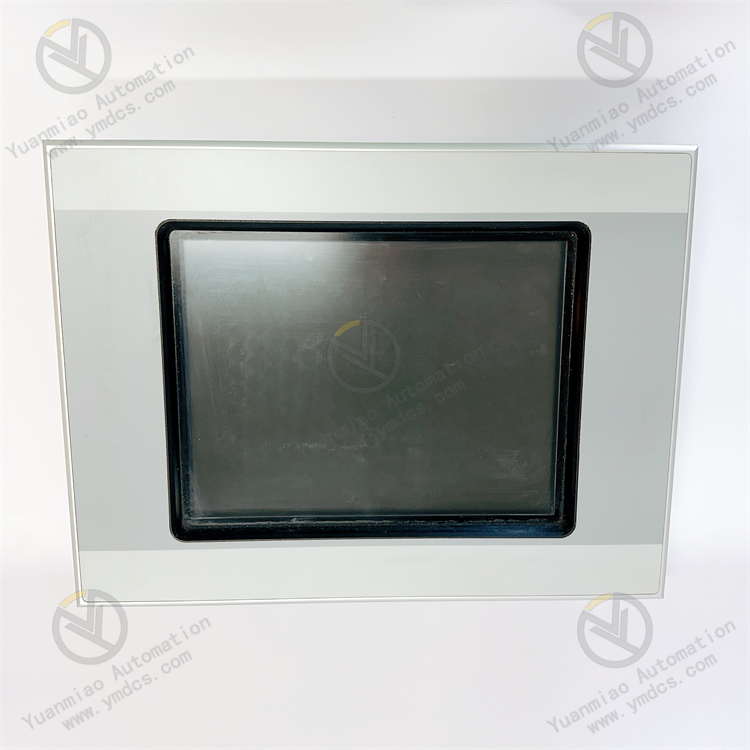
Product Name: XVS400 Series 5.7-inch Industrial Color Touch Screen (MPI Communication Type)
Product Positioning: The Eaton XVS400 Series high-performance embedded industrial Human-Machine Interface (HMI) is a visual operation terminal for industrial automation control systems. Designed for harsh on-site working conditions, it integrates display, touch operation, multi-protocol communication, data acquisition and equipment monitoring functions. It can be directly connected to mainstream PLCs, inverters and industrial control equipment, serving as the core terminal for human-machine interaction in industrial control systems.
Core Functions: Realize visual display of operating status of field industrial equipment, on-site parameter modification, equipment start/stop control, real-time monitoring of process data, pop-up fault alarm prompts and query of historical data records. Equipped with built-in MPI, Ethernet and RS232 communication interfaces, it can establish network communication with Siemens PLCs and Eaton industrial control equipment to complete system data exchange and remote monitoring, ensuring stable automatic operation of production lines.
Applicable Equipment: Siemens S7-200/300/400 series PLCs, full range of Eaton industrial automation equipment, inverters, servo control systems and various industrial controllers.
Application Scenarios: Widely used in intelligent manufacturing production lines, packaging machinery, logistics conveying equipment, HVAC automatic control, water treatment equipment, metallurgical and light industry automatic production lines, complete electrical control cabinets and other industrial scenarios. It supports embedded cabinet mounting and meets the requirements of long-term continuous industrial operation.
2. Technical Features
Industrial-Grade High-Definition Color Display and Touch Control Equipped with a 5.7-inch STN color industrial display featuring sensitive touch and clear images. It supports multi-page configuration display, dynamic screen refresh, data pop-up windows and trend chart demonstration to satisfy visual monitoring demands of industrial processes, and maintains good visibility under strong light environments.
Multi-Protocol Communication Compatibility Natively integrated with MPI dedicated communication interface for Siemens, together with Ethernet and RS232 interfaces. It supports simultaneous networking of multiple devices and achieves full-range communication adaptation with Siemens PLCs without additional adapter modules. Compatible with mainstream industrial communication protocols with excellent versatility.
Low Power Consumption & High-Stability Hardware Design Adopts industrial low-power architecture with typical power consumption of 12W and maximum power consumption of only 19W. It features strong resistance to voltage dips and withstands short-term power supply fluctuations. The optimized hardware circuit supports 7×24-hour continuous long-term operation to avoid crash, black screen and stalling issues.
Anti-Interference Protection for Harsh Working Conditions The whole unit adopts industrial-grade EMC design, built-in surge suppression, electrostatic protection and power filter circuits. It effectively resists electromagnetic interference generated by inverters and contactors inside control cabinets, and features dust-proof, moisture-proof and shock-resistant performance, adapting to severe industrial environments with high temperature, high humidity and strong interference.
Convenient Configuration and Maintenance Operation Supports screen editing, program downloading and parameter debugging via dedicated configuration software; users can customize process screens, alarm logic and authority management. It supports historical fault recording, data storage and parameter export, enabling efficient on-site maintenance and troubleshooting, suitable for renovation and new construction projects of various automatic production lines.
Standard Embedded Mounting Structure Adopts embedded snap-in mounting design for control cabinets with integrated fixing brackets. It is firmly installed with good sealing performance to effectively prevent dust and moisture from entering the unit. Compatible with standard electrical cabinet cutout dimensions, it allows easy assembly and disassembly without complicated wiring modification.
- Multiple Security Protection Mechanisms Supports multi-level operation permission encryption, parameter locking and operation log recording to prevent misoperation and parameter tampering. It is equipped with power-on self-test, communication fault self-diagnosis and screen abnormality detection functions with automatic fault alarms, ensuring operational safety and reliable data of industrial control systems.
3. Specification Parameters
| Item | Parameter |
|---|---|
| Model | XVS-440-57MPI-1-10 |
| Device Type | Industrial Human-Machine Interface Touch Screen (HMI) |
| Screen Specification | 5.7-inch STN color industrial display, touch operation |
| Supply Voltage | DC 24V industrial DC power supply |
| Power Consumption | Typical: 12W; Max: 19W |
| Voltage Withstand Capacity | Rated voltage dip ≤20ms; Undervoltage 20.4V dip ≤2ms |
| Communication Interfaces | MPI port, Ethernet port, RS232 port, USB expansion port |
| Supported Protocols | MPI dedicated protocol, general serial communication, Ethernet communication protocol |
| Operating Temperature | 0℃~60℃ |
| Storage Temperature | -20℃~70℃ |
| Ambient Humidity | 5%~95%, non-condensing |
| Mounting Method | Embedded snap-in mounting inside control cabinet |
| Protection Class | High dust-proof and moisture-proof on front panel, applicable to cabinet industrial conditions |
| Applicable Equipment | Siemens S7 series PLCs, Eaton industrial control systems, various industrial automation controllers |
| Product Characteristics | Dedicated MPI communication, low power consumption, anti-interference, 7×24 continuous operation, flexible configuration |
4. Working Principle
Device Initialization and System Self-Test After powered by DC24V, the device automatically performs power-on initialization, including screen self-test, touch calibration, communication port detection and system program loading. Meanwhile, it conducts self-inspection of hardware circuits, storage modules and interface status. Once no abnormality is confirmed, it enters standby operation interface to prepare for subsequent data exchange and operation control.
Data Acquisition and Communication Interaction It establishes communication links with lower-level PLCs, controllers and actuators in real time via MPI, Ethernet and RS232 interfaces, continuously collecting equipment operating parameters, process data, operating status, fault codes and other information. Collected data is parsed, sorted and stored to realize real-time uploading and aggregation of field equipment data.
Visual Screen Display and Human-Machine Operation All collected process data and equipment status are intuitively displayed on the touch screen in forms of dynamic graphics, numerical values, trend charts and indicator lights. Operators can send start/stop commands, modify process parameters and adjust equipment operating modes through touch operation to realize precise manual intervention and regulation of automated equipment.
Fault Monitoring and Alarm Linkage The system compares collected data with preset thresholds in real time. When abnormalities such as parameter over-limit, equipment failure or communication interruption occur, pop-up alarms and audible-visual prompts will be triggered immediately. Fault occurrence time, fault type and operating data are recorded synchronously to facilitate maintenance staff to quickly locate and troubleshoot faults and guarantee safe operation of production lines.
- Parameter Storage and Permission Control Supports local storage of process parameters, equipment parameters and formula data without data loss upon power failure. Based on multi-level permission mechanism, authorities of administrators and operators are distinguished. High-authority operations such as parameter modification and system setting are restricted to avoid production failures caused by human misoperation and ensure stability and safety of system operation.
5. Common Faults and Troubleshooting
Phenomenon: Black screen after power-on, no display, device fails to start Possible Causes
① Abnormal DC24V supply voltage, loose power wiring, insufficient power supply capacity;
② Damaged internal power module or blown fuse inside the device;
③ Circuit short circuit caused by water ingress or dust accumulation.
Troubleshooting Cut off power supply, measure DC24V voltage and load power, tighten power terminals and troubleshoot power line faults. Check built-in fuse; never short-circuit blown fuses. Clean dust and moisture on the unit. If still no display under normal power supply, the internal power module is damaged and repair or replacement is required.
Phenomenon: Normal screen display, touch failure or touch offset Possible Causes
① Grease and dust accumulated on screen surface covering touch layer;
② Deviated touch parameters without calibration;
③ Aging or hardware damage of touch panel;
④ Touch signal disorder caused by strong on-site interference.
Troubleshooting Clean stains on screen surface with dust-free soft cloth. Re-calibrate touch parameters in system setting menu. If calibration is invalid, the touch panel suffers hardware failure and screen assembly replacement is needed. Optimize on-site grounding and shielding to eliminate electromagnetic interference.
Phenomenon: Unable to communicate with Siemens PLC, frequent communication disconnection Possible Causes
① Damaged MPI communication cable, loose connectors or incorrect wiring;
② Mismatched communication address and baud rate between touch screen and PLC;
③ Aging communication interface and oxidized damaged pins;
④ Data packet loss caused by network interference.
Troubleshooting Inspect MPI communication cables and connectors, re-plug and fasten connections, correct wrong wiring. Verify and unify communication address, baud rate and protocol parameters of touch screen and PLC. Clean interface pins; replace communication cables if severe oxidation exists. Identify on-site interference sources, implement cable shielding and grounding to restore communication link.
Phenomenon: Screen lag, slow data refresh, frequent system crash Possible Causes
① Redundant configuration screen programs and excessive background cache;
② Abnormal program and system defects after long-term operation;
③ High bandwidth occupation due to simultaneous communication of multiple devices;
④ Excessively high operating temperature of the device.
Troubleshooting Restart the device to clear system cache, optimize configuration programs and remove redundant screens and invalid data. Simplify multi-device communication network configuration to reduce bandwidth load. Clean dust on heat dissipation holes and improve cabinet ventilation. If faults recur, re-flash compatible system program.
Phenomenon: Parameters lost after power off, unable to save settings Possible Causes
① Parameter saving operation unfinished and not confirmed;
② Aging or failure of device storage chip;
③ Abnormal system program and restricted storage permission.
Troubleshooting Strictly complete save confirmation after modifying parameters. Restore factory settings, re-download configuration program and input parameters. If parameters still cannot be saved, the storage module suffers hardware fault and maintenance or replacement is required.
Phenomenon: Frequent pop-up alarms during operation and abnormal data display Possible Causes
① Operation faults of lower-level equipment leading to abnormal uploaded data;
② Communication signal fluctuation resulting in data packet loss and dislocation;
③ Incorrect configuration parameters and unreasonable threshold setting in configuration project.
Troubleshooting Inspect operating status of lower-level PLCs and equipment to eliminate equipment body faults. Overhaul communication lines and interfaces to ensure stable data transmission. Check screen configuration parameters and alarm thresholds, correct wrong settings. Re-synchronize system data to eliminate abnormal display.