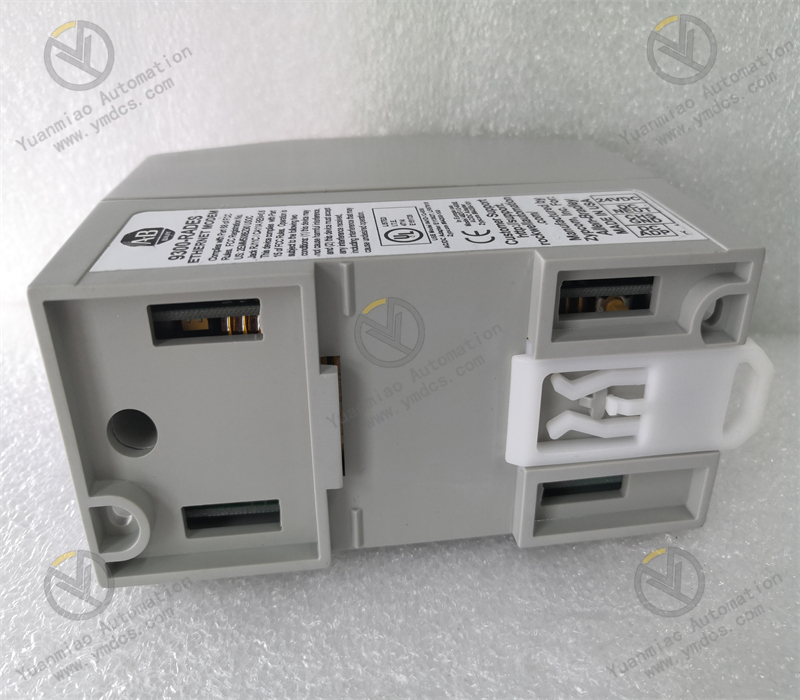
Description
1. Product Overview
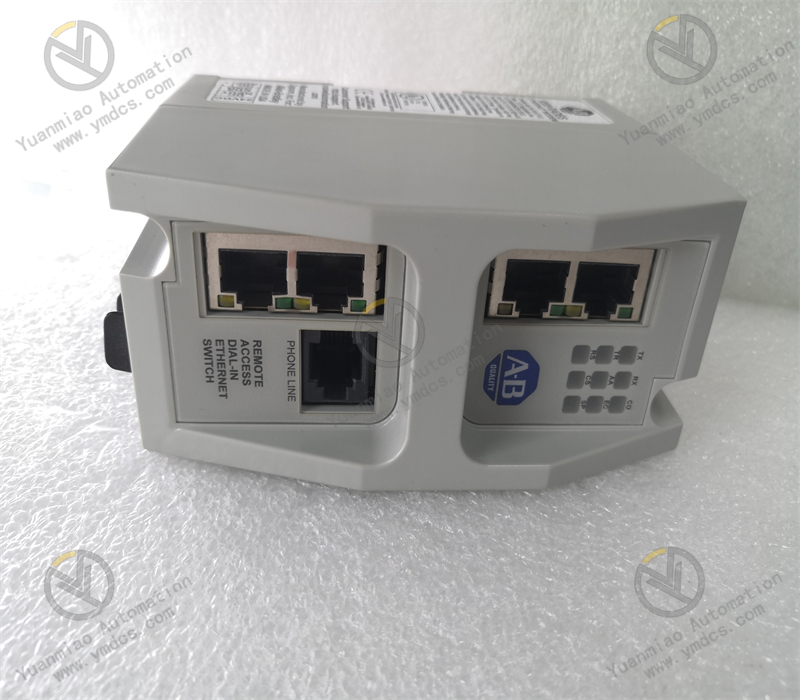
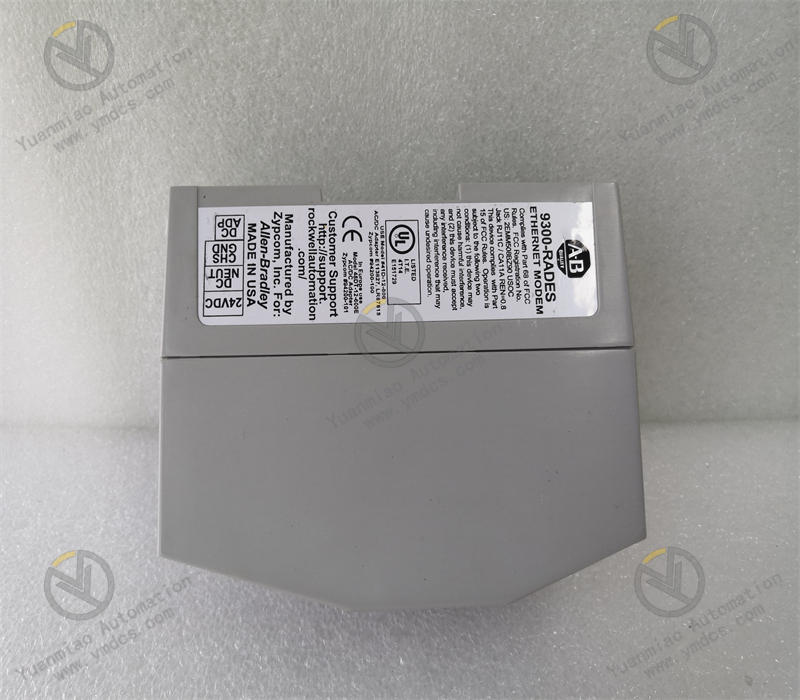
Allen‑Bradley 9300‑RADES is an industrial‑grade remote‑access Ethernet modem of Rockwell Automation 9300 series. It is specially developed for remote maintenance, off‑site commissioning and equipment diagnosis of industrial automation control systems, and serves as dedicated communication hardware for remote networking of industrial‑control systems. Integrating a 4‑port industrial Ethernet switch and V.90 standard dial‑up modem function, this unit enables remote external‑network access to field industrial‑control devices over analog telephone lines, without relying on factory private networks or VPN. It is fully compatible with the full lineup of Rockwell‑Automation PLCs, touch‑screens, variable‑frequency drives, industrial PCs and third‑party industrial Ethernet equipment. The modem solves common pain points of traditional industrial equipment, such as local‑only debugging, delayed fault‑response from remote locations and high on‑site maintenance costs. It supports stable 7×24‑hour remote communication. Widely deployed in distributed industrial sites for intelligent manufacturing, water‑treatment, auxiliary power‑plant control, oil‑gas‑chemical, metallurgy and building‑materials industries, it is core hardware for adding remote‑maintenance capabilities to legacy industrial‑control systems and conducting remote monitoring & commissioning for unattended stations. This model has been discontinued by the original manufacturer and is a classic spare‑part option for replacement work on existing industrial projects.
2. Core Technical Parameters
2.1 Basic Specifications
- Model: 9300‑RADES
- Product Series: Allen‑Bradley 9300 Remote‑Access Communication Series
- Product Type: Industrial Remote‑access Ethernet Dial‑up Modem
- Core Functions: Ethernet switching + telephone‑line remote dial‑up access + remote‑device maintenance
- Compatible Equipment: Full‑range Allen‑Bradley Logix‑family PLCs, industrial HMI touch‑screens, remote I/O modules and industrial Ethernet‑based devices
- Net Weight: 1.0 kg, compact structure for desktop or cabinet‑mount installation
2.2 Communication & Interface Parameters
- Ethernet Ports: 4‑channel 10/100 Mbps auto‑negotiation RJ45 electrical interfaces with auto‑crossover detection
- Dial‑up Interface: 1 analog telephone‑line port, compatible with standard public switched telephone network (PSTN) lines
- Dial‑up Protocol: V.90 standard dial‑up communication protocol for stable industrial‑grade dial‑up connections
- Transmission Speed: Maximum downstream 56 Kbps, upstream 33.6 Kbps, sufficient for low‑data‑volume remote industrial commissioning
- Default Management Settings: Default management IP: 192.168.1.1; configurable custom IP address, sub‑net and access permissions
- Supported Protocols: TCP/IP, EtherNet/IP and other mainstream industrial Ethernet protocols
2.3 Electrical & Operational Parameters
- Power‑supply Mode: Standard industrial DC power supply, compatible with common power‑supply schemes of industrial control cabinets
- Power Consumption: Low‑power design for energy‑saving stable long‑term continuous operation
- Connection Features: Auto‑dialing, automatic re‑connection after disconnection; supports extended online standby operation
- Status Indication: On‑board LED indicators visually displaying power status, Ethernet link, dial‑up connection and data transmit‑receive activity
2.4 Environmental & Protection Parameters
- Operating Temperature: 0 ℃ ~ +60 ℃, suitable for conventional operating conditions in industrial control cabinets and on‑site equipment rooms
- Storage Temperature: ‑20 ℃ ~ +70 ℃, meeting requirements for equipment transportation and idle‑period storage
- Operating Humidity: 5%‑95% RH, non‑condensing, adapted to dry indoor industrial environments
- Anti‑interference Performance: Compliant with industrial EMC standards to withstand electromagnetic interference generated by on‑site frequency converters and power equipment
- Mounting Method: Flat‑placement or fixed installation inside cabinets, suitable for standard industrial‑cabinet layouts
3. Product Functions and Core Advantages
3.1 Core Product Functions
- Remote Dial‑up Access via Telephone Line: Establishes an independent remote‑communication channel over public analog telephone lines. No private network or VPN infrastructure is required. Engineers can remotely connect to the on‑site industrial‑control network from anywhere, breaking geographical limits and supporting remote industrial sites without dedicated network coverage.
- Centralized Networking Access for Multiple Devices: Built‑in 4‑port Ethernet switch allows simultaneous connection of multiple field‑side equipment including PLCs, HMIs, remote‑I/O modules and instruments. It supports single‑unit networking and unified remote maintenance for multi‑device systems with flexible and convenient deployment.
- Full‑featured Remote Industrial‑control Maintenance: Supports remote program upload & download, parameter modification, program monitoring, fault diagnosis, log reading and equipment reset. It covers the complete workflow of on‑site commissioning, troubleshooting and routine maintenance.
- Automatic Disconnection‑recovery Standby Operation: Equipped with auto‑dial and auto‑reconnect functions after link loss. The modem can remain online for long‑term standby and rapidly restore connectivity after network interruption, ensuring persistent availability of the remote‑maintenance channel.
- Independent Secure Communication Channel: The dial‑up link forms an exclusive and isolated communication tunnel, shielding external network noise and lowering risks of network virus infection and cyber‑attacks. Compared with public‑network VPN solutions, it delivers higher security and stability for industrial remote‑control communication.
3.2 Core Product Advantages
- No Private‑network Dependence, Suitable for Remote Sites: Enterprise‑owned dedicated lines, optical‑fiber connections or VPN systems are not required. Remote maintenance can be implemented using ordinary analog telephone lines. It perfectly solves remote‑commissioning challenges for field‑located, isolated and distributed unattended industrial stations.
- Seamless Original‑equipment Compatibility & Plug‑and‑play Deployment: Genuine Rockwell‑Automation hardware natively compatible with Allen‑Bradley industrial‑control platforms with seamless protocol interoperability. No additional protocol‑conversion hardware or modification to the existing control system is needed, making it suitable for both new‑build and retrofit projects.
- Integrated Design Simplifies Hardware Layout: Combines switch and modem functions in one unit, removing the requirement for an extra industrial Ethernet switch. A single device completes both local networking and remote‑access tasks, reducing hardware quantity and potential failure points inside the cabinet.
- Stable Industrial‑grade Standby Operation: Optimized for industrial environments with enhanced electromagnetic‑interference immunity and voltage‑fluctuation tolerance. It operates continuously without disconnection or freeze‑up, meeting 7×24‑hour non‑stop factory‑operation requirements.
- Substantial Reduction of Maintenance Costs: Remote troubleshooting and commissioning eliminate frequent on‑site visits by technical staff. Fault‑response times are shortened, and travel‑related labor costs plus production‑downtime losses are reduced.
- Ideal Fit for Legacy‑system Modernization: As a discontinued classic product, it is widely used in ageing automation‑system retrofit projects for spare‑part replacement, fault‑unit substitution and remote‑maintenance capability upgrades for legacy installations.
4. Typical Application Scenarios
- Water‑treatment Industry: Remote commissioning and fault maintenance for unattended systems of distributed township water‑plants, remote pump‑stations and sewage‑treatment stations
- Power‑energy Industry: Remote diagnosis and parameter tuning of industrial‑control equipment for power‑plant auxiliary‑control systems, distributed photovoltaic facilities and small‑scale substations
- Oil‑gas & Chemical Industry: Remote monitoring and program maintenance for automatic‑control systems of remote oil‑gas wells, isolated chemical substations and transmission pipelines
- Intelligent‑manufacturing Industry: Remote commissioning, troubleshooting and program upgrade for equipment located at branch‑site factories and production‑line control‑systems
- Municipal‑utility Engineering: Remote‑maintenance retrofit of distributed industrial‑control equipment such as municipal HVAC systems, water‑supply pump‑stations and street‑light automatic‑control systems
- Industrial‑legacy‑system Retrofit Projects: Upgrade of old industrial‑control systems lacking remote‑access functions, on‑site equipment spare‑part replacement and construction of remote‑maintenance architecture
5. Installation, Operation and Maintenance Guidelines
- Install the unit inside a dry, dust‑proof and well‑ventilated industrial control cabinet. Keep it away from high‑temperature heat sources, corrosive gases and strong‑EMI‑emitting equipment to avoid stability degradation and shortened service‑life caused by long‑term dust accumulation and overheating.
- Clearly distinguish between Ethernet ports and the telephone‑line port during wiring. Connect the telephone‑line port exclusively to standard analog PSTN lines. Never attach it to digital telephone circuits, which may burn out the interface hardware and cause dial‑up failures.
- Connect on‑site industrial‑control devices such as PLCs and HMIs to Ethernet ports. Plan IP‑address sub‑nets uniformly for connected equipment to prevent IP conflicts and guarantee smooth local‑area‑network communication and reliable remote access.
- Supply power via a regulated industrial power‑source to maintain stable DC voltage. Prevent voltage fluctuations, loose connections and short‑circuits which may trigger unexpected modem rebooting or link drop‑outs and interrupt the remote‑maintenance channel.
- Complete IP‑address configuration, dial‑up‑parameter tuning and remote‑access permission settings during initial commissioning. Verify dial‑up connectivity, remote read‑write functions and program‑access capability to confirm full remote‑maintenance functionality.
- During routine maintenance, observe LED status indicators and inspect dial‑up‑link health periodically. Proactively troubleshoot hidden faults such as dial‑up failures, frequent disconnections and remote‑access time‑outs.
- Replace defective units only with original spare‑parts of the identical model. Re‑configure sub‑net parameters and dial‑up settings after replacement and test remote‑communication performance, so that system‑maintenance logic remains consistent with the original installation.