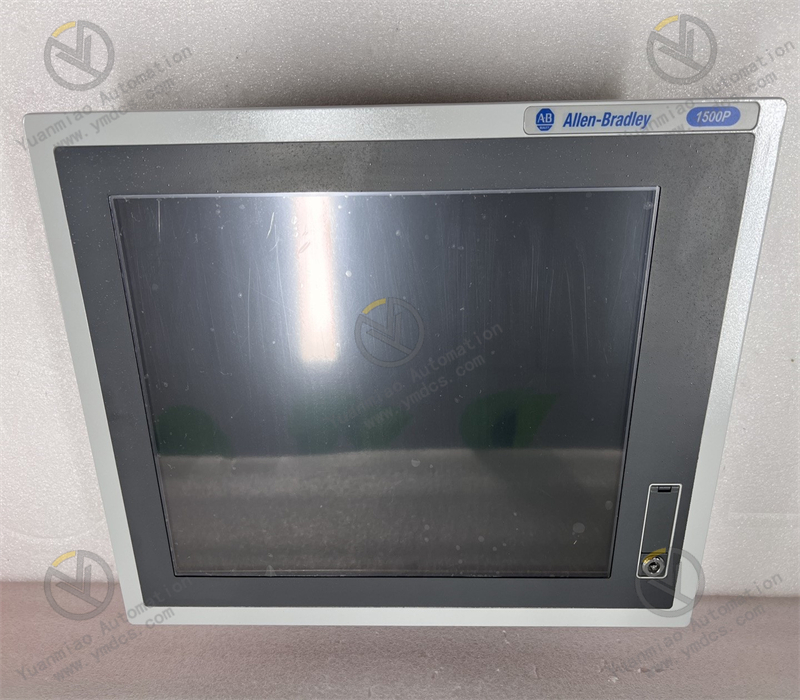
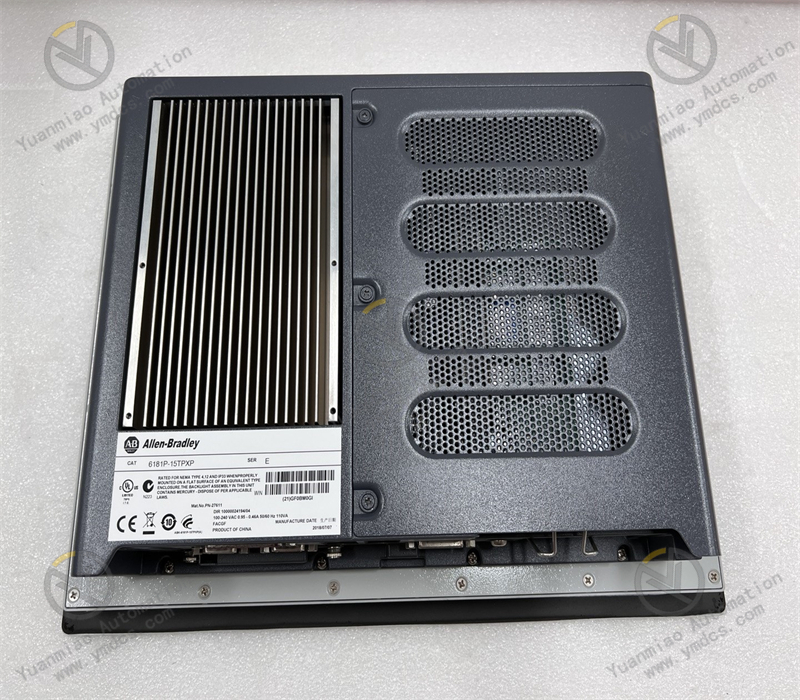
Description
1. Product Overview
Allen‑Bradley 6181P‑15TPXP belongs to the Rockwell Automation VersaView 1500P series, a high‑performance embedded industrial all‑in‑one touch‑screen computer designed for harsh industrial‑site environments. Integrated with an industrial‑grade host, high‑definition TFT‑LCD display and resistive touch panel, the unit requires no external monitor or separate host, delivering high integration and compact structure. Perfectly compatible with the full range of Allen‑Bradley PLC and DCS automation control systems, this unit realizes visualized on‑site data monitoring, process‑parameter editing, coordinated‑device operation, as well as production‑data acquisition and storage. Widely adopted in process industries, intelligent manufacturing, power‑energy, water‑treatment, oil‑gas‑chemical and other industrial fields, it acts as a core human‑machine interaction and upper‑level monitoring terminal capable of 24‑hour non‑stop continuous factory‑operation.
2. Core Technical Parameters
2.1 Basic Specifications
- Model: 6181P‑15TPXP
- Product Series: VersaView 1500P Integrated Industrial Touch‑screen Computer
- Screen Size: 15‑inch industrial TFT‑LCD display
- Touch Mode: Industrial resistive touch, glove‑operable with anti‑interference touch response
- Unit Type: Embedded all‑in‑one industrial PC without external host
2.2 Hardware & Performance Parameters
- Central Processor: Industrial‑grade Intel Core dual‑core processor, supporting industrial configuration, data computation and parallel multi‑program operation
- Memory: Standard DDR2 industrial‑grade RAM, expandable for smooth stable operation
- Storage: Compatible with industrial‑grade SSD / HDD, meeting anti‑vibration and shock‑resistance requirements for industrial sites
- Supported Operating Systems: Windows 7, Windows 10 IoT Enterprise, WES7 and other dedicated industrial operating systems
- Interfaces: Dual Gigabit Ethernet ports, RS232 serial port, USB ports, audio‑video ports for multi‑device networking and peripheral expansion
2.3 Electrical & Protection Parameters
- Power‑supply Voltage: Standard industrial DC 24 V, compatible with cabinet power‑supply systems in factories
- Front‑panel Rating: NEMA 1/12/4, IEC IP66‑compliant; dust‑proof, splash‑water‑resistant and oil‑repellent
- EMC Performance: Complies with industrial electromagnetic‑compatibility standards, resisting EMI generated by frequency converters, high‑voltage equipment and high‑power motors
- Vibration Resistance: Reinforced industrial structure suitable for vibration‑prone conditions including on‑board installation and high‑frequency production‑line vibration
2.4 Environmental & Structural Parameters
- Operating Temperature: 0 ℃ ~ +55 ℃, applicable to warm workshop areas and thermostatically‑controlled industrial cabinets
- Storage Temperature: ‑20 ℃ ~ +70 ℃
- Operating Humidity: 5%‑95% RH, non‑condensing, adapted to humid industrial‑site conditions
- Mounting Method: Flush panel‑mount installation, fits standard control‑cabinet and console cut‑outs for neat integration
- Thermal Design: Fan‑less passive‑cooling design, minimizing dust ingress, lowering failure risk and enabling long‑term stable operation
3. Product Functions and Core Advantages
3.1 Core Product Functions
- Industrial Human‑machine Interactive Operation: Real‑time on‑site manual operations such as process‑parameter setting, equipment start‑stop, mode switching and fault reset via the touch panel, providing intuitive control over full‑range industrial equipment.
- Real‑time Data Monitoring & Display: Interconnects with PLC / DCS systems to collect and visualize process data including temperature, pressure, flow rate, rotational speed, electric current and voltage; dynamically refreshes equipment‑running and production‑status information.
- Fault Alarm and Historical Traceability: Supports pop‑up fault alerts and audible‑visual warnings; automatically saves fault logs, operation records and production data to facilitate troubleshooting, process review and production‑data analysis.
- Multi‑device Network Communication: Two independent Ethernet ports allow simultaneous connection to the field control network and supervisory monitoring network. Multi‑protocol communication enables data exchange between field‑level equipment, central‑control systems and remote platforms.
- Process Configuration and Parameter Storage: Runs diverse industrial configuration software; supports customized graphic screens, control‑logic programming and recipe storage for fast production‑process switching and batch‑production management.
3.2 Core Product Advantages
- Highly‑integrated Layout‑saving Design: All‑in‑one display‑touch‑host architecture eliminates external monitors and controllers, reduces cabinet hardware quantity, wiring complexity, occupied space and potential failure points.
- Heavy‑duty Industrial Protection for Harsh Environments: IP66‑rated front panel with dust‑, water‑splash‑ and oil‑resistance plus vibration‑reinforced construction, well‑suited for chemical, metallurgical, dusty and humid workshop environments.
- Native Automation‑system Compatibility: Genuine Rockwell hardware offering seamless interoperability with all Allen‑Bradley automation platforms without extra protocol‑conversion hardware, while supporting mainstream industrial software and third‑party devices.
- Fan‑less Long‑life Stable Operation: Passive cooling removes fan‑failure risks, dust‑accumulation problems and operational noise; delivers low failure‑rate 24/7 continuous‑run performance for non‑stop production.
- Robust Industrial‑grade Touch‑screen: Wear‑resistant resistive touch panel maintains reliable operation in oily and dusty environments while supporting glove‑touch control, far outperforming consumer‑grade touch displays in service life.
- Convenient Maintenance & Broad Compatibility: Standardized interfaces and system architecture support remote debugging, program upgrading and data backup, covering retrofit projects, new‑system deployment and control‑system expansion.
4. Typical Application Scenarios
- Intelligent‑manufacturing Production Lines: On‑site HMI operation and data‑monitoring terminals for automated assembly lines, robot workstations and smart‑production stations
- Water‑treatment Industry: Supervisory monitoring, process operation and interlocked equipment control for sewage‑treatment, potable‑water and water‑reuse control cabinets
- Power‑energy Industry: Auxiliary‑control systems in power plants, substation automation, intelligent switch‑gear monitoring and central‑operation terminals for new‑energy stations
- Oil‑gas & Chemical Industry: On‑site process monitoring, parameter adjustment and early‑fault warning for chemical plants, oil‑gas gathering‑transport facilities and refinery equipment
- Metallurgy & Building‑materials Industry: Real‑time process monitoring and operational control for high‑temperature kilns, rolling equipment and building‑material production‑lines
- Industrial‑retrofit Projects: Upgrade of legacy HMI terminals, replacement of separate industrial‑PC‑monitor hardware and intelligent‑renovation of field human‑machine interfaces
5. Installation, Operation and Maintenance Guidelines
- This unit adopts flush panel‑mount installation. Verify cabinet cut‑out dimensions before installation. Cut power supply, insert the unit into the opening and fasten the locking clips tightly to achieve a tight seal and prevent dust and moisture ingress.
- Complete wiring strictly following industrial specifications. Supply stable DC 24 V power; avoid voltage fluctuations, loose connections and short‑circuits which may cause unexpected reboot or system freeze‑up.
- Route Ethernet and serial‑signal cables away from high‑power cables and frequency‑converter equipment. Use shielded cables with proper earthing to prevent EMI‑induced communication drop‑outs and data anomalies.
- Maintain a well‑ventilated and dry installation environment; avoid sustained high temperature, condensation and heavy oil‑contamination buildup. Clean dust and oil stains on the touch‑screen surface periodically; never wipe the panel with corrosive solvents.
- Do not arbitrarily delete system files or modify critical configuration parameters during runtime. Create regular backups of project files, production data and system images to prevent data loss.
- During routine maintenance, monitor operating temperature, touch‑screen responsiveness and communication status; resolve potential risks such as system lag, unresponsive touch or network disconnection promptly to guarantee uninterrupted production‑line performance.
- Replace failed units only with original equipment of the identical model. Reload matching configuration and communication parameters after replacement to ensure consistent control logic and stable performance of the whole automation system.