Description
1. Product Overview
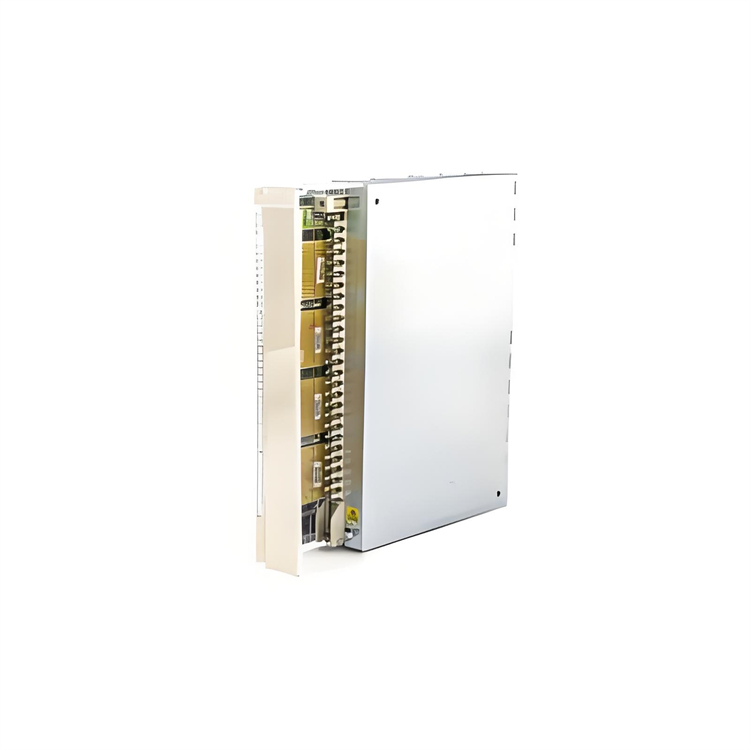
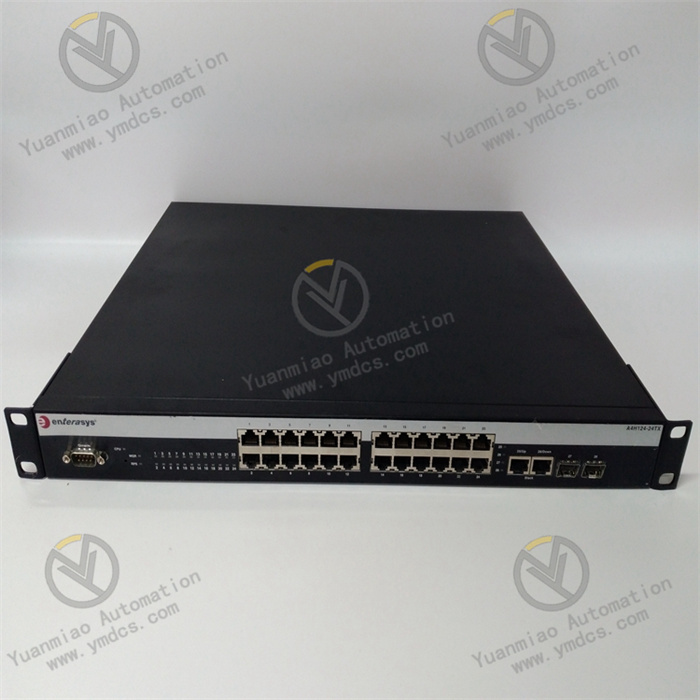
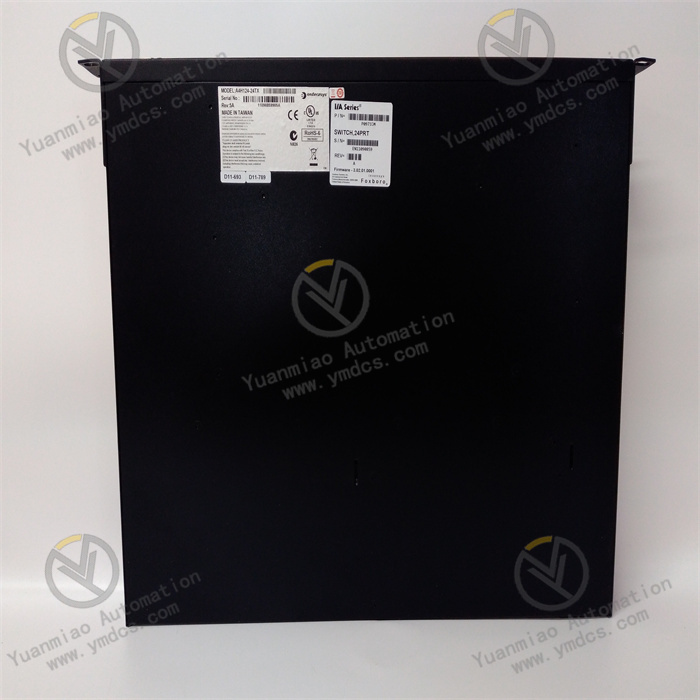
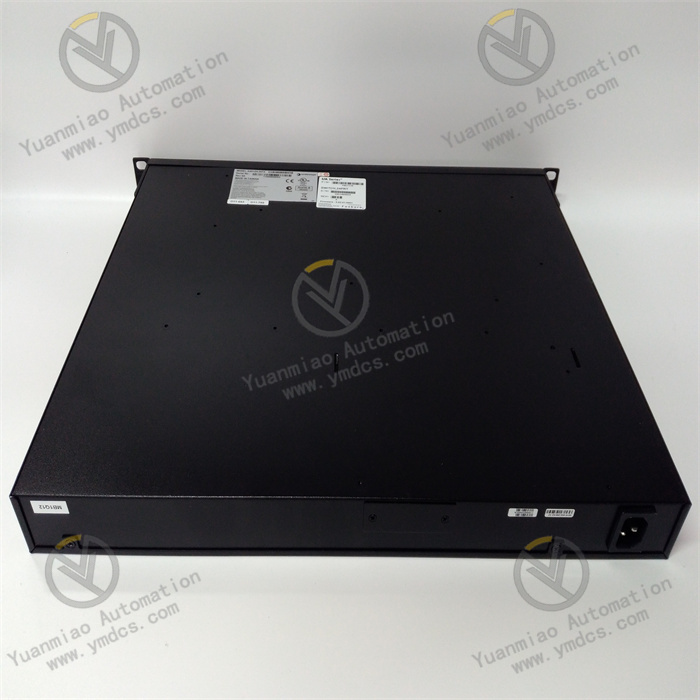
Model: A4H124-24TX P0973JM Brand: Foxboro (Invensys, now part of Schneider Electric) Product Name: I/A Series Industrial Managed Ethernet Switch Product Positioning: Core industrial network switching equipment customized for Foxboro I/A Series DCS distributed control system. It is a rack-mounted switch dedicated to industrial control systems and serves as the hub for data exchange on industrial automation networks, ensuring stable, real-time and reliable communication among DCS systems, PLCs and field instruments.
Core Functions: Performs forwarding and isolation of network data at the field control layer, monitoring layer and management layer of industrial sites. It enables high-speed communication between DCS controllers, operator stations, remote I/O modules and smart instruments. It supports network redundancy and data priority scheduling, prevents industrial network storms and signal interference, and guarantees continuous stable operation of process industrial control systems.
Compatible Systems: Full series of Foxboro I/A Series distributed control systems and Invensys integrated industrial automation systems; compatible with mainstream industrial SCADA monitoring systems.
Application Scenarios: Widely deployed in process industries including petrochemicals, power plants, water treatment, metallurgy and pharmaceuticals. Suitable for harsh industrial environments such as DCS control cabinets, central control rooms and field explosion-proof electrical cabinets, acting as standard network equipment for automation systems of critical production units.
2. Technical Features
- Customized Industrial-Grade Design Optimized and developed exclusively for Foxboro DCS systems, compatible with real-time industrial communication protocols. Differentiated from commercial switches, it withstands electromagnetic interference and temperature/humidity fluctuations on site, supports 7×24 hours continuous long-term operation and meets high reliability requirements for process industries.
- High-Density Multi-Port Gigabit Access Equipped with 24 gigabit electrical ports plus expandable fiber ports. It supports wired access for field devices and long-distance fiber networking. High port density satisfies centralized networking of numerous devices in large automation systems and accommodates large-scale networking of field instruments, controllers and operator stations.
- Full-Featured Network Management & Industrial Network Mechanisms Supports VLAN partitioning, QoS data priority scheduling, port mirroring, link aggregation, STP/RSTP redundant ring protocols. It effectively isolates network storms, ensures priority transmission of control commands, adapts to industrial redundant network architectures and eliminates single-point network failures.
- Robust Anti-Interference Performance for Severe Operating Conditions Adopts industrial-grade EMC protection, surge suppression and electrostatic protection. It resists electromagnetic interference generated by inverters, contactors and high-power equipment inside control cabinets and operates in dusty, high-humidity and wide-temperature industrial environments.
- Deep System Compatibility Natively matches the communication logic of Foxboro I/A Series systems. No additional protocol conversion is required; it can be directly connected to the DCS for plug-and-play operation. It supports remote system configuration, network status monitoring and fault alarms for convenient maintenance.
- High Forwarding Performance & Low Latency Delivers large switching capacity and high forwarding rate with extremely low latency for industrial communication. It meets high-speed data transmission demands for real-time industrial control, interlock protection and precision regulation without data congestion or packet loss.
- Standard Rack-Mount Installation Designed to standard cabinet dimensions for installation in industrial control cabinets and standard equipment racks. It features a sturdy structure with excellent shock resistance, suitable for long-term fixed operation of industrial equipment.
3. Specification Parameters
| Item | Parameter |
|---|---|
| Device Type | Industrial Managed Rack-Mount Ethernet Switch |
| Port Configuration | 24×10/100/1000Base-TX Gigabit RJ45 electrical ports; optional 100Base-FX fiber expansion ports |
| Switching Capacity | 48 Gbps |
| Packet Forwarding Rate | 36 Mpps |
| Power Supply | AC 100–240V wide-range AC power supply |
| Operating Temperature | 0℃~60℃ (normal operating conditions inside industrial cabinets) |
| Storage Temperature | -20℃~70℃ |
| Ambient Humidity | 5%~95%, non-condensing |
| Mounting Method | Standard rack mounting in equipment cabinets |
| Overall Dimensions | 442mm × 219mm × 44mm |
| Unit Weight | 3.6kg |
| Origin | Original Made in USA |
| Compatible System | Foxboro I/A Series DCS Control System |
4. Working Principle
- Data Reception & Parsing Stage After power-on initialization, the device automatically completes port detection, protocol matching and network parameter configuration. It continuously receives industrial data packets uploaded by DCS controllers, field I/O modules, operator stations and smart instruments, verifies and filters data, and eliminates invalid interference signals to guarantee data transmission accuracy.
- Intelligent Data Forwarding & Scheduling Based on the QoS priority mechanism, control commands, equipment interlock signals and monitoring data are scheduled hierarchically, with priority given to critical automation instructions. VLAN partitioning isolates data from different process sections and network layers to avoid network congestion and cross-area signal interference. High-speed data forwarding between ports is realized via the high-speed switching bus.
- Fault-Tolerant Operation with Redundant Networks Supports STP/RSTP redundant ring protocols for building industrial redundant network architectures. In case of main link failure or port abnormality, the device switches to the backup link within milliseconds to maintain uninterrupted DCS network communication and prevent unit shutdown and process runaway.
- Network Status Monitoring & Alarm It continuously monitors port connection status, data traffic, link delay and device operating temperature. It automatically identifies abnormalities including port disconnection, network storms and packet loss, and uploads fault information to the DCS monitoring system for real-time alarms to facilitate troubleshooting.
- System Linked Communication As the core of the DCS network, it establishes data channels across the management layer, monitoring layer and field device layer. It enables operators to remotely issue parameters, acquire real-time equipment status and upload process data, ensuring closed-loop stable operation of the entire automation system.
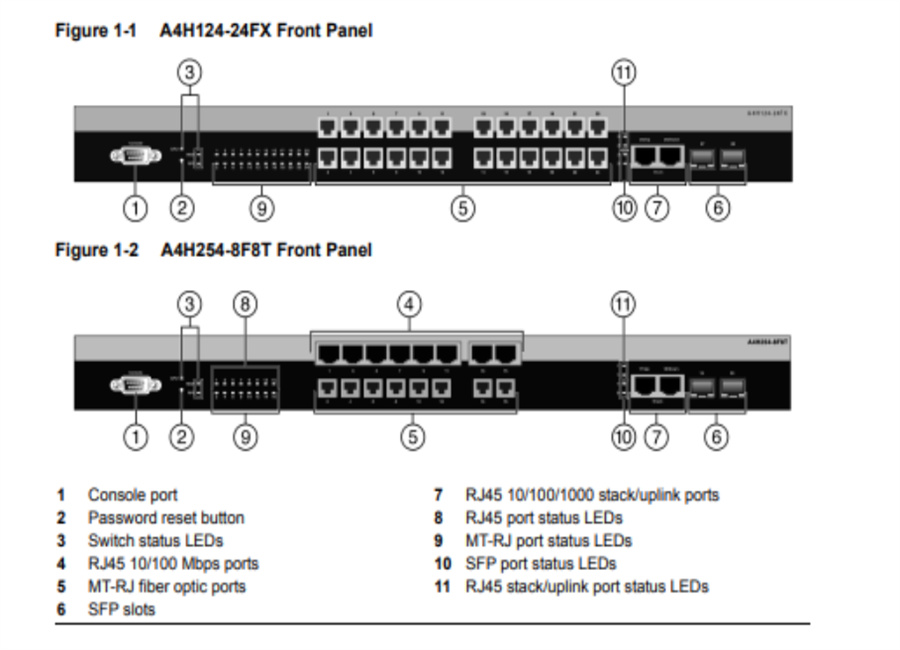
5. Common Faults and Troubleshooting
- Phenomenon: No running indicator after power-on; the whole device fails to operate Possible Causes ① Abnormal/unstable external power supply or open circuit in power loop; ② Aging or damaged internal power module; ③ Loose and poorly contacted power terminal blocks. Troubleshooting Cut off power and verify whether AC 100–240V supply voltage is normal; tighten power terminals; check circuit breakers and wiring in the power loop. If no response is obtained with normal power supply, the power module is faulty and requires repair or equipment replacement.
Phenomenon: Abnormal port link; frequent disconnection during networking Possible Causes ① Aged network cables, oxidized damaged RJ45 connectors or non-standard wiring; ② Loose ports or hardware damage to ports; ③ Signal attenuation caused by on-site electromagnetic interference; ④ Mismatched port speed and duplex mode configuration. Troubleshooting Replace with qualified industrial gigabit cables and re-crimp RJ45 connectors; check port status and re-network via spare ports; calibrate port speed and duplex mode to maintain consistent parameters across all network devices; implement cable shielding and earthing to mitigate electromagnetic interference.
- Phenomenon: Network congestion, high data latency and slow data refresh on DCS displays Possible Causes ① Network bandwidth occupied by massive invalid data; ② Improper VLAN/QoS configuration, insufficient priority for critical data; ③ Redundant cache and program anomalies after long-term continuous operation. Troubleshooting Log into the device backend to optimize network configuration, deploy VLANs to isolate redundant traffic and adjust QoS priorities to guarantee preferential transmission of control data; clear device cache and restart to reset programs; check terminals for network storms and isolate faulty terminals promptly.
- Phenomenon: Redundant ring network fails; untimely link switching leads to network interruption Possible Causes ① Ring protocol disabled or incorrect configuration parameters; ② Wrong wiring of the ring topology; ③ Inconsistent ring parameters among multiple switches. Troubleshooting Log into the switch management interface, verify and enable STP/RSTP, and unify ring network parameters for all switches; inspect and correct ring wiring topology; test link switching function after configuration to confirm proper activation of redundancy mechanisms.
- Phenomenon: Unable to remotely access management interface and configure parameters Possible Causes ① Mismatched IP subnet between the device and host computer; ② Disabled management port or restricted access permissions; ③ Abnormal firmware and backend program faults. Troubleshooting Check the default IP address of the device and adjust the host subnet for consistency; enable management access permissions and remove port access restrictions. If login still fails with correct subnet and permissions, restart the device or upgrade compatible firmware to fix backend program faults.
- Phenomenon: Excessively high operating temperature and frequent overtemperature alarms Possible Causes ① Poor cabinet heat dissipation and blocked air ducts; ② Dust accumulation on cooling fans and heat dissipation failures; ③ Ambient temperature exceeding the rated operating range. Troubleshooting Clean dust from cabinet air ducts and device heat dissipation vents and inspect cooling fan operation; improve cabinet ventilation to maintain operating temperature within 0–60℃. If overtemperature alarms persist, investigate hardware faults of the device.
Foxboro Products
FBMSSW | P0926JM | BO123HE |
P0931RQ | FBI10E | P0972VA |
P0914XB | P0903CV | FBM202 |
FBM239 P0927AG | FBM230 P0926GU | FBM237 P0914XS |
FBM203 | ZCP270 | FBM204 |
FBM242 P0916TA | FBM203 P0914SV | FBM219 P0916RH |